Live demo · Local-first tool · RTO powered

Gemini Conversation Manager

A colorful Remote Tab Opener demonstration that can read your Gemini sidebar, then become a practical local tool for organizing conversations with groups, pins and protected actions.

🔄 Sync first 🔐 Google sign-in aware 💾 Local storage only after your choice 📌 Pin-safe actions
Build v70.20 · Group header toggles within its group · contextual buttons · selected-only pin batch preserved.
RTO
Ready
Product demo · Browser automation only RTO makes practical

A private control room on top of Gemini

This example is extraordinary because it does what a normal web page cannot do by itself: it coordinates another live browser tab, reads Gemini's dynamic sidebar, uses Gemini's own visible controls, then builds a private manager around that external application.

Without RTO, a page on remote-tab-opener.com cannot safely click inside gemini.google.com, inspect its changing conversation list, reopen the right tab, or reflect local visual markers back into Gemini. Browser security correctly prevents that. RTO provides the user-approved bridge that makes the workflow possible.

After the first live synchronization, the demo becomes a practical tool: you can organize Gemini conversations into local groups, see pinned items more clearly, protect pinned conversations from deletion, and keep your work either temporary for the session or persistent in this browser.

1RTO reuses your existing Gemini tab, or opens one only when needed.
2It waits for Gemini to be accessible, whatever the Gemini UI language is.
3It reads repeated conversation rows, titles, URLs and pinned states from Gemini's sidebar.
4It adds local groups, safer batch actions and visual markers that a normal isolated web page cannot add.
⬇️ Download SDK
🔒 Privacy model Conversation titles and local groups stay inside your browser. The RTO website does not receive a copy of your Gemini list, groups, selections or preferences.
🧠 Why RTO matters A standard browser page is sandboxed away from Gemini. RTO turns explicit user permission into a safe bridge, so the page can drive visible actions in another tab without a Gemini API or server-side account access.
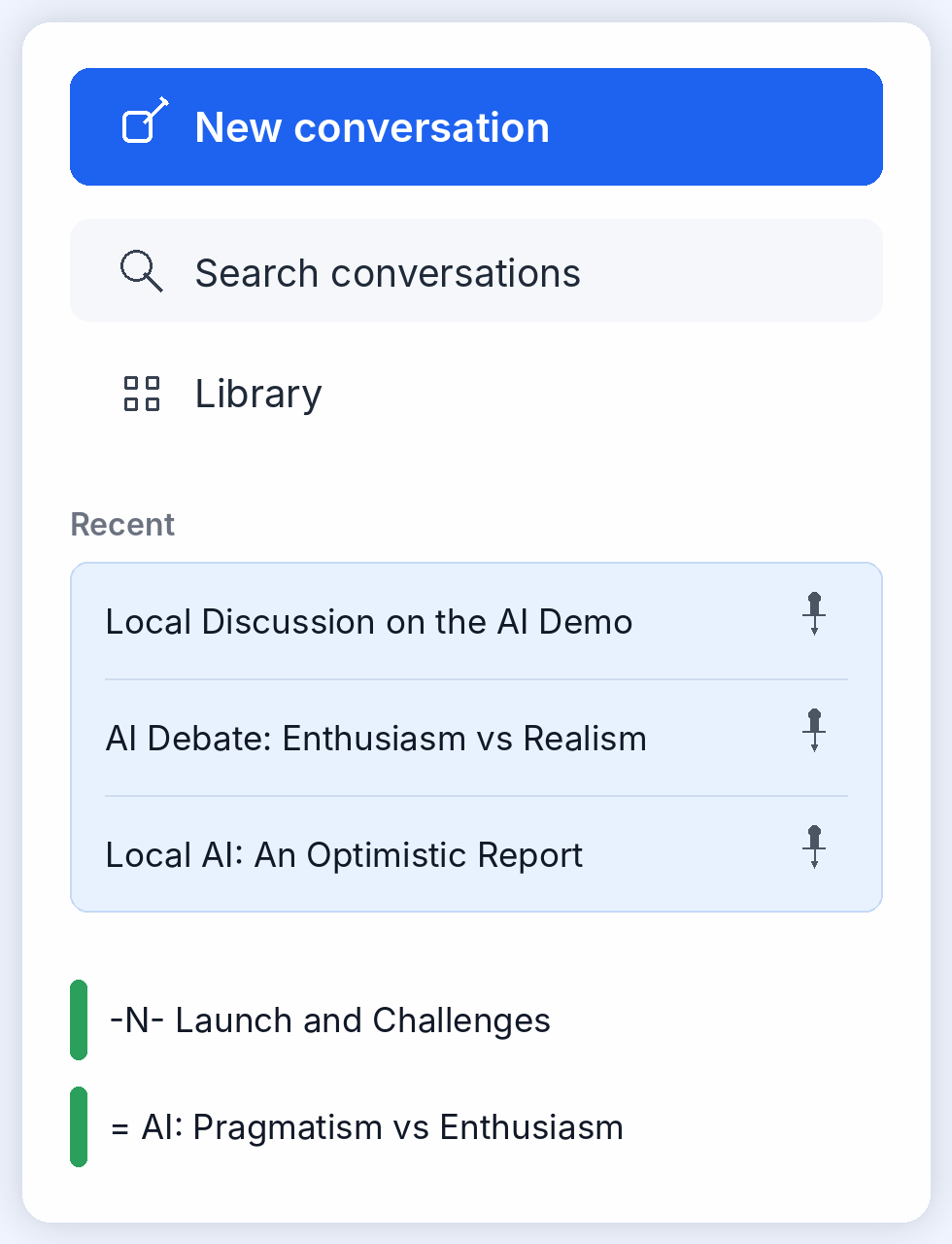
🎨 Visual augmentation Pinned conversations receive a pale blue background in Gemini. Local groups receive a colored crescent marker, so your private organization becomes visible directly inside Gemini.
🧭

Remote orchestration, not scraping

RTO opens or reuses Gemini, waits for the sidebar, scrolls through repeated rows, and extracts only the UI information needed to build the manager. The page does not bypass the browser; RTO performs visible, user-controlled actions that would otherwise be impossible across origins.
🗂️

Private features Gemini does not have

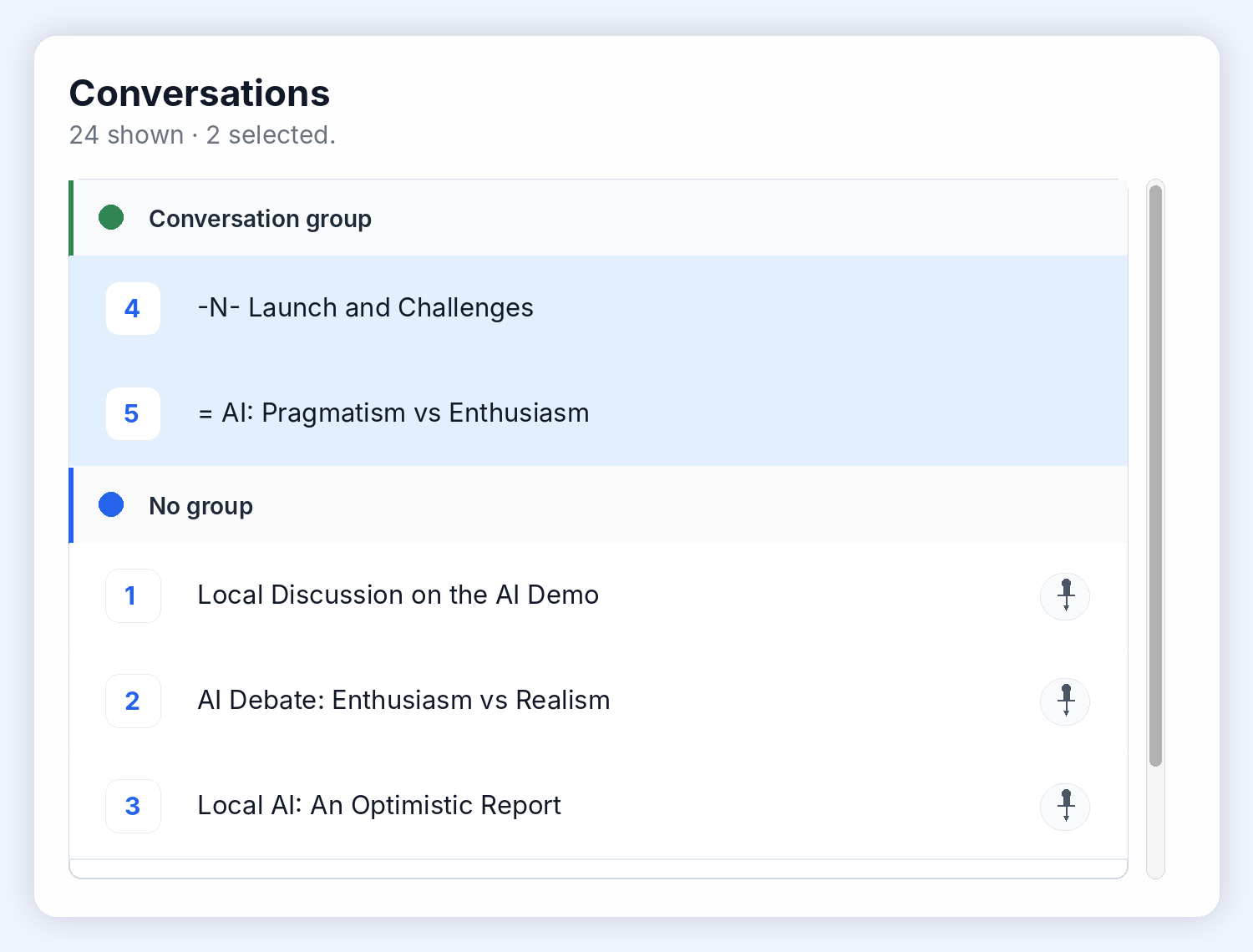
Local groups, group colors, batch selection, safer deletion rules and session-only mode are added by this page. Gemini does not know about these groups, and no server receives them.

🛡️

Safety rules above native actions

The manager refuses to delete pinned conversations and asks for confirmation on risky actions. It can therefore add a protective layer on top of a normal web application.

🔄

Live state remains the source of truth

Synchronize reads Gemini again, refreshes real pinned states, updates renamed conversations, and reapplies visual markers. The local view is useful, but Gemini remains the authoritative state for Gemini actions.

Native Gemini sidebar

Gemini remains recognizable

English Gemini sidebar mockup with matching conversations

Gemini shows the same conversation set used by the manager: three pinned recent conversations and two locally grouped conversations marked by RTO.

What this demo proves

RTO can turn a normal web app into a local companion workspace

From the page master, RTO coordinates another tab, works with repeated DOM structures, reacts to reloads, confirms native dialogs, and adds visual feedback directly inside the remote application. This is the core value of RTO: a website can offer a real companion workflow for another web application, while the browser remains protected and the user stays in control.

✅ Third-party UI coordination ✅ Repeated list analysis ✅ Real Gemini pin detection ✅ Private local groups ✅ Visual markers inside Gemini ✅ No server-side conversation storage ✅ Cross-origin workflow impossible without RTO ✅ Locale-agnostic action strategy