Official AI Copilot experience for Remote Tab Opener · Protocol-aware

Ready on ChatGPT. Protocol-aware for RTO No-Code.

Start with the official Remote Tab Opener (RTO) Copilot on ChatGPT, or download one ZIP and configure your own AI with the official instructions, public knowledge base, API reference, helper guide, prompt template, and RTO No-Code Protocol guidance. The assistant helps create, review and repair documents; it does not execute flows.

Ready nowOfficial ChatGPT copilot, already configured.
One ZIPEverything needed to set up your own AI.
Protocol-awareUnderstands .flow.json, .flow.patch.json and run evidence bundles.
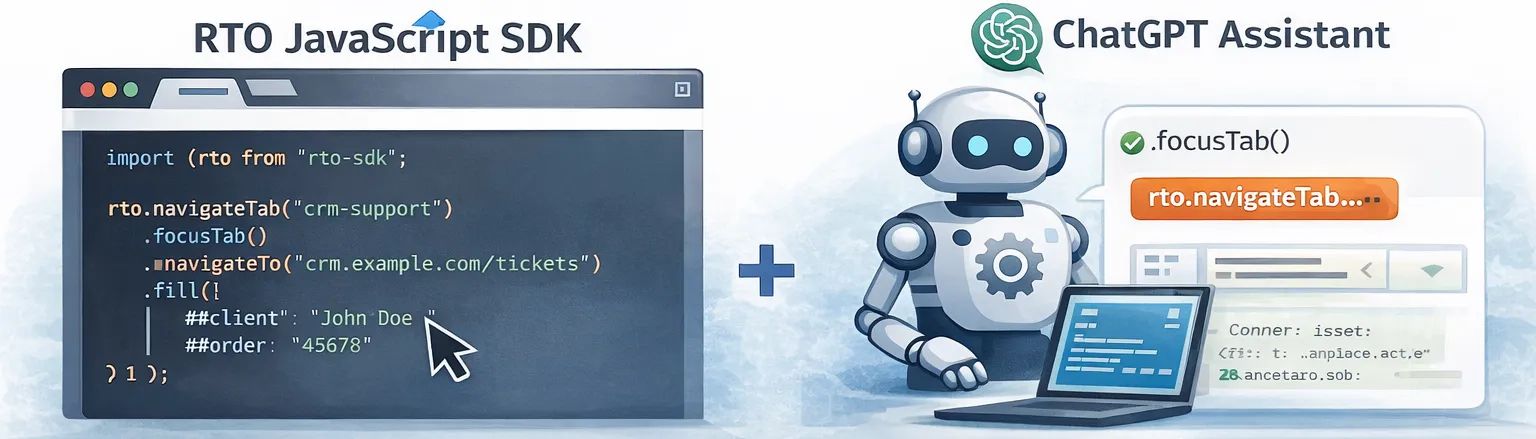
Remote Tab Opener used with AI assistance for faster integration and debugging.
Start with the official ChatGPT Copilot for the fastest path, or download the AI Copilot Kit and configure your own assistant with the same public RTO source material.
Ready now

Official ChatGPT Copilot

Use the preconfigured assistant right away. It is the quickest path when you want a working answer without first assembling a setup package yourself.

  • Best for immediate productivity.
  • Great for RTO integration, No-Code document drafting, review, patch guidance, and practical debugging.
  • No manual setup required.
Open and portable

Bring your own AI

You are not locked to OpenAI. Download one ZIP and use the official RTO instructions and knowledge package with Claude, Gemini, Copilot, local models, or your own internal assistant.

  • One kit with the right files already bundled.
  • Works with public or private AI environments.
  • Includes No-Code Protocol rules for safe .flow.json, .flow.patch.json and run evidence review.
  • Uses public integration knowledge, not private engine secrets.

It removes the “where do I start?” problem

Instead of sending users to scattered docs and hoping they assemble the right context, this page gives them a clean choice: ready now on ChatGPT, or one ZIP for any AI.

It stays on the public side

The AI guidance is based on the public RTO contract, public helpers, public docs, examples, and official store listings. It helps with integration and debugging without exposing private extension internals.

2 paths

Instant ChatGPT setup or open bring-your-own-AI setup.

One download. Everything the AI needs.

The kit is built to make setup obvious instead of nebulous. Download it once, then give the files to your preferred AI.

  • GPT_INSTRUCTIONS_TO_PASTE.txt with the role, rules, safety boundaries, and output style.
  • Public KB, site docs, API quickstart, and API reference.
  • Public helpers guide and public_helpers.zip for concrete integration context.
  • No extension source code included — the kit contains only public docs and helper-layer references.
  • PROMPT_TEMPLATE.txt and README_RTO_Copilot_GPT_Update_v8.5.0.md so setup takes minutes, not guesswork.

Works with more than one AI vendor

You can stay with the official ChatGPT copilot, or move the same public setup to other environments when that fits your workflow better.

  • ChatGPT
  • Claude
  • Gemini
  • Copilot
  • Local or private LLMs
  • Internal enterprise assistants
1

Download the kit

Use one ZIP instead of hunting across multiple pages. The official kit bundles the setup files the AI needs.

2

Give it the files

Upload the knowledge files to your AI, or paste the system instructions and source texts manually if the platform does not support file upload.

3

Ask for real work

Generate a flow, adapt selectors, debug a failing action, improve retries, or request a full vanilla HTML, JS, or PHP integration.

Anti-hallucination contract

Any AI using RTO should start from the documented public bridge and must not invent hidden methods or extension internals.

  • First copy the exact public sendRto() helper from the AI-safe quickstart.
  • Use detect as the first probe.
  • Use request origin, requestId correlation, response origin === "rto-extension", and explicit timeouts.
  • Treat helpers as optional convenience files, not the extension engine.
  • Never invent waitConnected, RTOCore.send, or direct bypass flows.
window.postMessage({
  origin: 'rto-page',
  type: 'detect',
  requestId: 'unique-id'
}, '*');

// Then wait only for:
// data.origin === 'rto-extension'
// data.requestId === requestId

New first-stop page

The documentation now includes a strict page for cold-start AIs and developers: copy the exact bridge helper, run detect first, then open, then debug in the right order.

AI-safe bridge vocabulary

Bridge vocabulary: type first

Top-level public bridge calls use type, not action. For detection, generate type: "detect". For opening a controlled tab, generate type: "openTab". Use action only inside a documented type: "command" envelope. Never generate tabs.open or RTO.tabs.open as public RTO API.

Correct

window.postMessage({
  origin: "rto-page",
  type: "detect",
  requestId: requestId
}, "*");

Do not generate

window.postMessage({
  origin: "rto-page",
  action: "detect",
  requestId: requestId
}, "*");
AI-safe bridge envelope

Always include the exact bridge envelope

Public RTO messages must include origin, type, and requestId. Responses use ok, data, and error; not success or result.

Correct detect payload

window.postMessage({
  origin: "rto-page",
  type: "detect",
  requestId: requestId
}, "*");

Do not generate

window.postMessage({
  type: "detect",
  requestId: requestId
}, "*");

If detect times out, inspect the outgoing payload before blaming the allowlist. A missing origin: "rto-page" means the helper is wrong.

AI-safe DOM and Flow rules

AI-safe DOM and Flow rules

For advanced automation, do not invent SDK-like shortcuts or hidden privileges.

  • Direct DOM primitives are top-level bridge message types, for example type: "dom.extract".
  • Use args for DOM primitive payloads.
  • Use fields with name, selector, and mode for dom.extract examples.
  • Use flow.run with top-level steps. Each flow step uses type plus args.
  • Do not wrap flow steps inside params.steps.
  • Do not invent movingCursor unless a page explicitly documents it.
  • Do not describe registerMasterTab as “God Mode”.
  • Do not describe adoptTab as a magic read privilege.
  • Do not claim that fields: {} proves Google, cookies, AI-safe, or anti-bot blocking without evidence.
  • Diagnose from the response object first.
Correct direct DOM extract:
sendRto({
  type: "dom.extract",
  tabKey: "demo",
  args: {
    fields: [
      { name: "title", selector: "title", mode: "text" }
    ]
  }
});

Correct flow.run:
sendRto({
  type: "flow.run",
  tabKey: "demo-flow",
  steps: [
    { type: "openTab", args: { url: "https://example.com", tabKey: "demo-flow" } },
    { type: "dom.waitFor", args: { selector: "h1", timeoutMs: 15000 } },
    { type: "dom.extract", args: { fields: [
      { name: "heading", selector: "h1", mode: "text" }
    ] } }
  ]
});

Do not generate:
sendRto({
  type: "flow.run",
  params: {
    steps: [...]
  }
});

Do not invent:
- movingCursor
- God Mode
- magical adoptTab privileges
- cookie-wall explanations without checking the actual page
- “AI-safe blocked it” without an error or documented policy response
Public contract first

RTO is deny-by-default, allowlist-aware, and local-first. A good assistant must stay inside the documented public contract and avoid invented APIs or hidden mechanics.

Paste-ready output

The right assistant should generate practical, copy-paste-friendly HTML, JavaScript, and PHP with explicit request IDs, timeouts, and safer waits.

Debugging that respects reality

It should ask for payloads, responses, host allowlist status, and selector details before guessing. The goal is a working flow, not hand-wavy theory.

Minimal “works-first” checklist

If you only remember one pattern: detect → capabilities → action, with a requestId and a timeout.

  • Detect gate: disable UI until RTO is present.
  • Allowlist aware: handle DOMAIN_NOT_ALLOWED with “Approve + Try again”.
  • Stable tabKey: reuse one controlled tab for repeatable flows.
  • Explicit timeouts: SPAs need waits; keep retries bounded.

Vanilla snippet (skeleton)

This is intentionally small — the Copilot can expand it into full HTML/JS/PHP for your exact flow.

<script src="../RTO_helpers/RTO_form_api.js"></script>
<script>
(function () {
  var tabKey = "rto_demo";

  RTOForm.detect(1500).then(function () {
    return RTOForm.openTab({
      "tabKey": tabKey,
      "url": "https://example.com/",
      "focus": true
    }, { "timeoutMs": 12000 });
  }).catch(function (err) {
    if (err && err.code === "DOMAIN_NOT_ALLOWED")
      console.warn("Approve this host in RTO, then click Try again", err);
    else
      console.warn("RTO error", err && err.code, err && err.message);
  });
})();
</script>

FAQ: permissions vs allowlist

RTO may require broad browser permissions to operate, but it is still deny-by-default.

  • Permissions let the extension run.
  • Allowlist decides which hosts it can control.
  • No bypass: approval is done by the user inside the extension.

FAQ: No‑Code Protocol status

RTO No‑Code is integrated for private testing. The assistant is Protocol-aware: it can help prepare .flow.json, .flow.patch.json, .runs.jsonl, diagnostics and run-evidence reviews.

  • No-Code protocol documentation is in preparation and will be published when the public builder is ready.
  • Builder access remains private by direct URL until explicit publication.
  • The assistant never runs flows, applies patches, or changes the allowlist.

What the assistant can help with

The assistant can draft and review RTO No-Code documents, explain diagnostics, prepare safe patches and help interpret run evidence bundles.

  • Create or review .flow.json.
  • Propose minimal .flow.patch.json repairs.
  • Analyze .runs.jsonl, run-evidence.bundle.json, diagnostics and safety review.
  • Explain how to import documents into the Builder for validation and diff review.

Protocol-aware, not execution-aware

The assistant prepares documents. RTO execution remains local, visible, explicit and controlled by the user through the extension.

  • No auto-run, no auto-apply, no auto-allowlist.
  • No direct allowlistAdd, hidden cookies, target-page storage access, traffic spying, eval or remote code. Managed-tab navigation must remain within the authorized domain.
  • The Builder validates imports, shows a diff and requires human review before any patch is applied.
  • The public No-Code protocol documentation will become available with the No-Code release.